OpenMausBot
Local-first open-source Grok Bot alternative—run a team of Claude and Codex agents in a unified desktop messaging app.

Dhanji Bhagat
Founder, Emiote
Fully hosted platform. Automated backups and SLA.
Devin from $500/mo; cloud agent platforms from $40–$200/user/mo
Private compute. Zero seat taxes; team runs ops.
$0/mo local desktop app + existing Claude / Codex CLI subscriptions
OpenMausBot is an open-source, local-first multi-agent desktop application created by Milind Soni on GitHub as an alternative to xAI’s Grok Bot and proprietary agent workbenches. Built with React 19, TypeScript, Electron, and a local localhost harness, it organizes real autonomous AI agents (running locally via
claude,codex, orgrokCLIs) into a Telegram-style messaging interface with sandboxed computer use, permission approval gates, and Composio tool integrations.
1. Why OpenMausBot Matters: Breaking the Single-Chat Silo
Most AI developer tools lock you into a single prompt box with one generalist assistant that loses context as soon as conversations branch into multiple disciplines (architecture, frontend UI, database migrations, SRE).
Proprietary cloud platforms like xAI’s Grok Bot and Cognition’s Devin ($500/mo) solve this by assigning persistent cloud computers to autonomous bots. However, they force vendor lock-in, proprietary model routing, and expensive enterprise seat retainers.
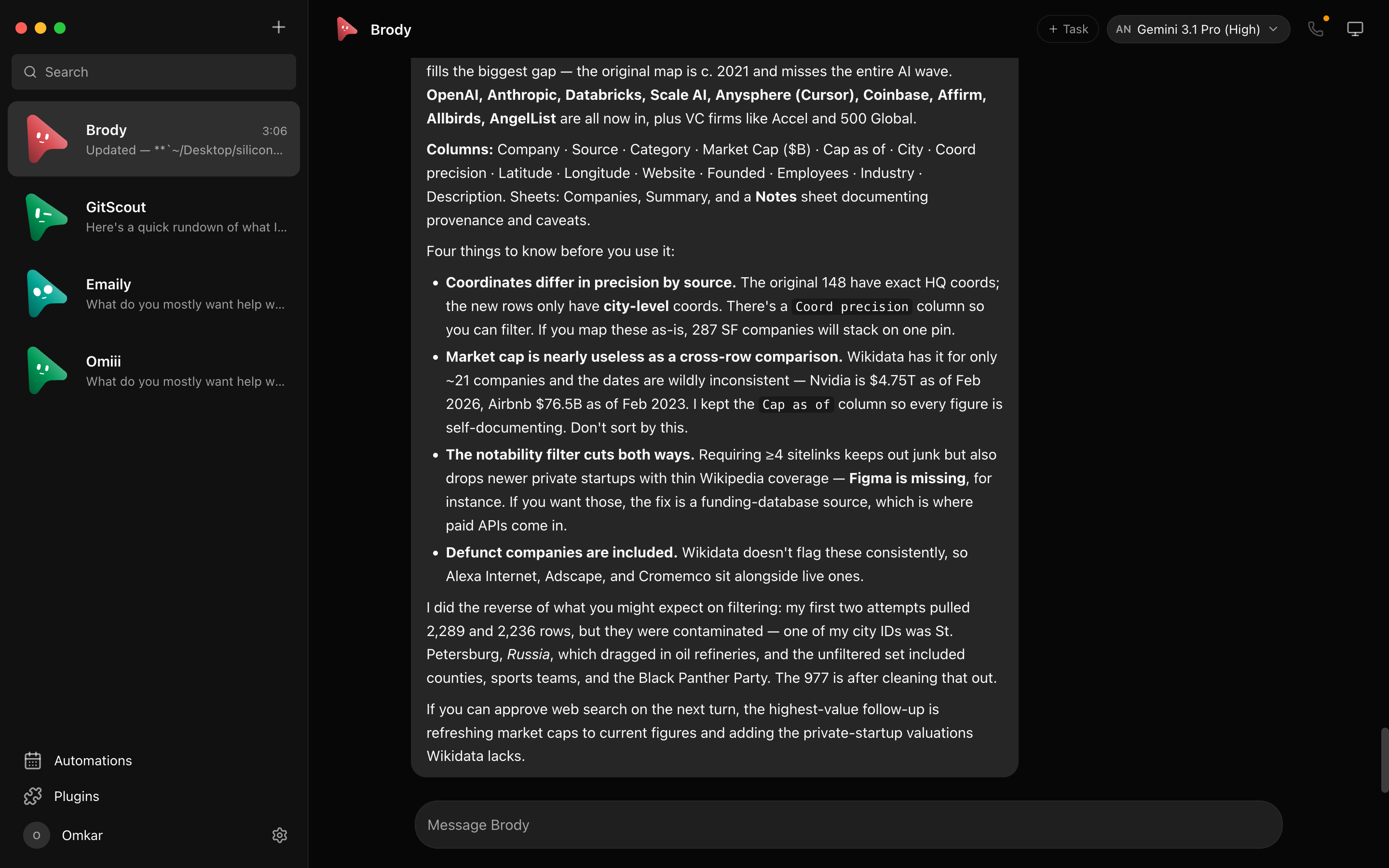
OpenMausBot adopts the multi-agent roster pattern while keeping execution 100% open and local-first:
- Bring Your Own Local Engines: Bots run directly on the official
claude,codex, andgrokCLIs installed on your machine. There are no intermediate proxies, extra token markups, or third-party cloud dependencies. - AI as Contacts in a Messaging App: Each bot in your sidebar represents a dedicated specialist with its own system prompt, memory thread, model provider, and execution environment.
- Channels for Context Isolation: Group bots by project or discipline (e.g.
#Frontend-Sprint,#Database-Refactor) with isolated working directories, shared transcripts, and project-specific instructions.
2. Model Routing & Bring-Your-Own-Engine
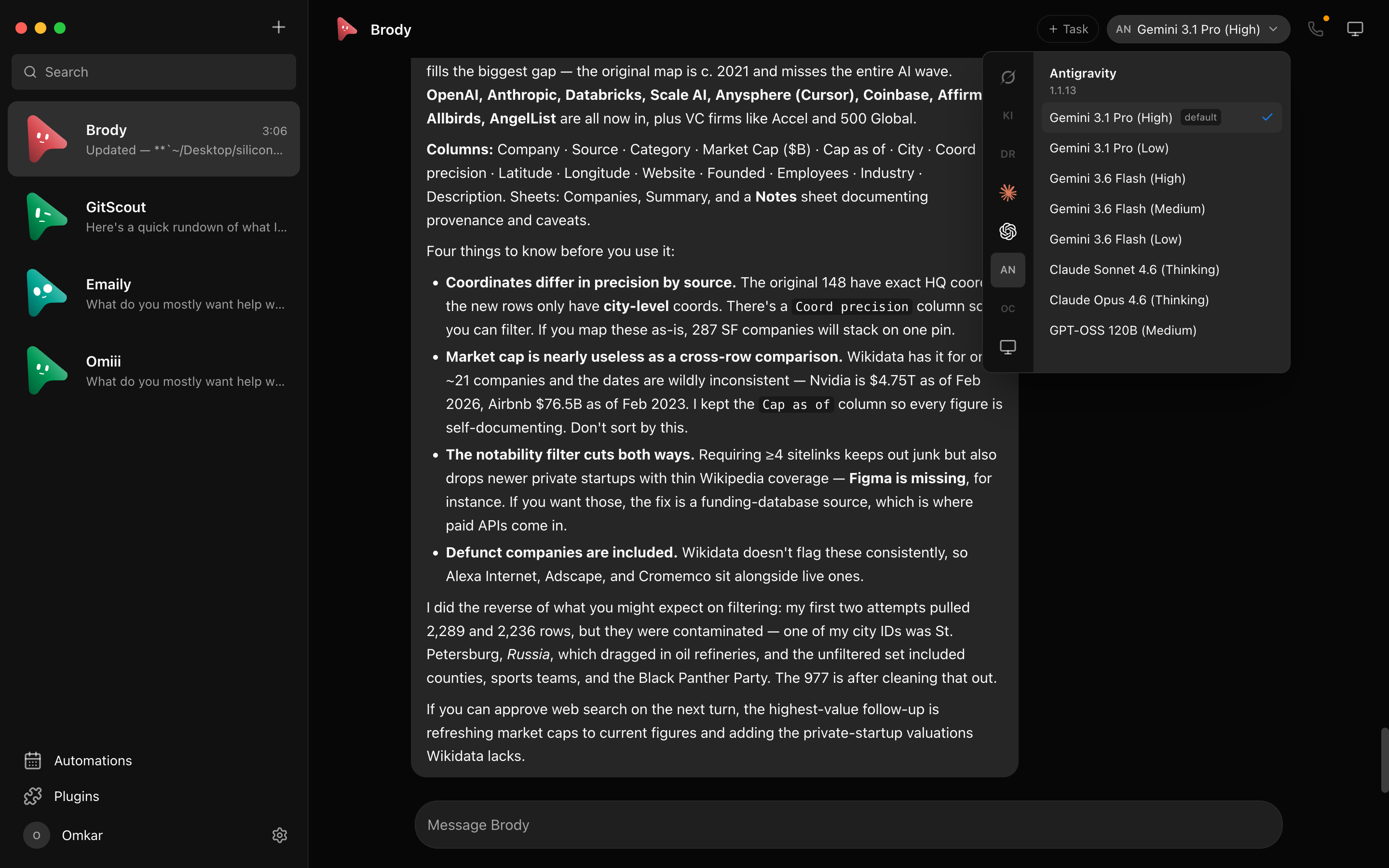
OpenMausBot allows switching brains per bot or mid-conversation across Claude, Codex, Grok, and local models.
Key Technical Subsystems
- Desktop Shell: Electron + React 19 frontend featuring dynamic model pickers, live VNC desktop screen streams, and real-time approval cards.
- Local Harness Server (
127.0.0.1): A lightweight daemon that manages agent subprocesses, hot-reloads CLI engine wrappers, and coordinates async tool execution without external telemetry. - Local Vault Storage (
~/.openmausbot): All thread transcripts, conversation IDs, model parameters, and encrypted API credentials live strictly on your local disk. - Execution Environments:
- Cloud Linux Desktop: Dedicated cloud containers for autonomous browser testing and live screen takeovers.
- Local Sandboxed VM: Isolated container workspaces running on your workstation.
- Host Machine Control: Direct macOS and Ubuntu Xorg execution (explicit opt-in required).
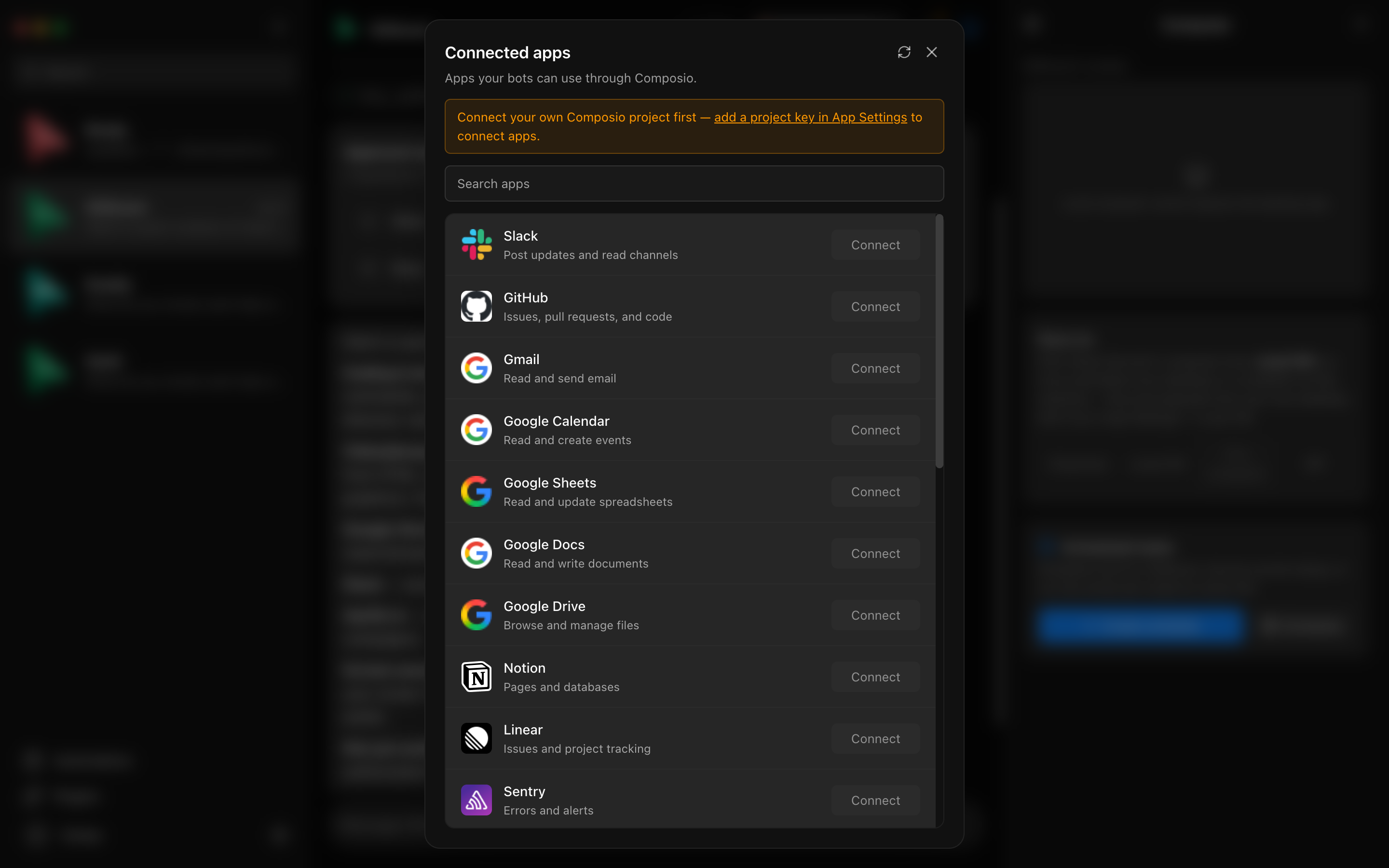
- Connected Apps Gateway: Connects to 500+ external services (GitHub, Slack, Linear, Notion, Gmail) via Composio OAuth sessions.
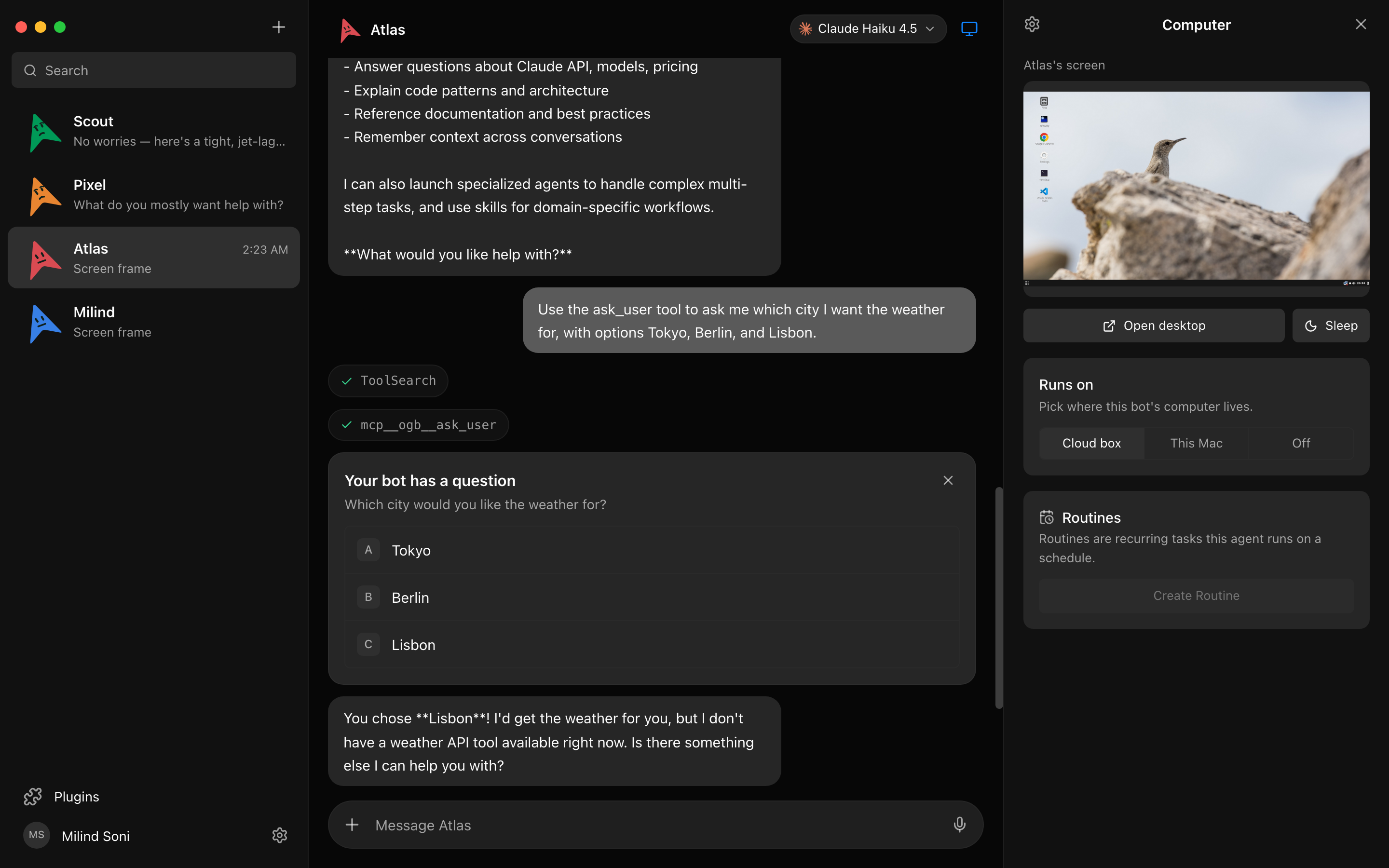
3. Human-in-the-Loop Permission Broker
Autonomous agents with direct shell and file-system access present severe blast-radius risks. OpenMausBot addresses this with an inline Permission Broker that intercepts dangerous actions before execution.
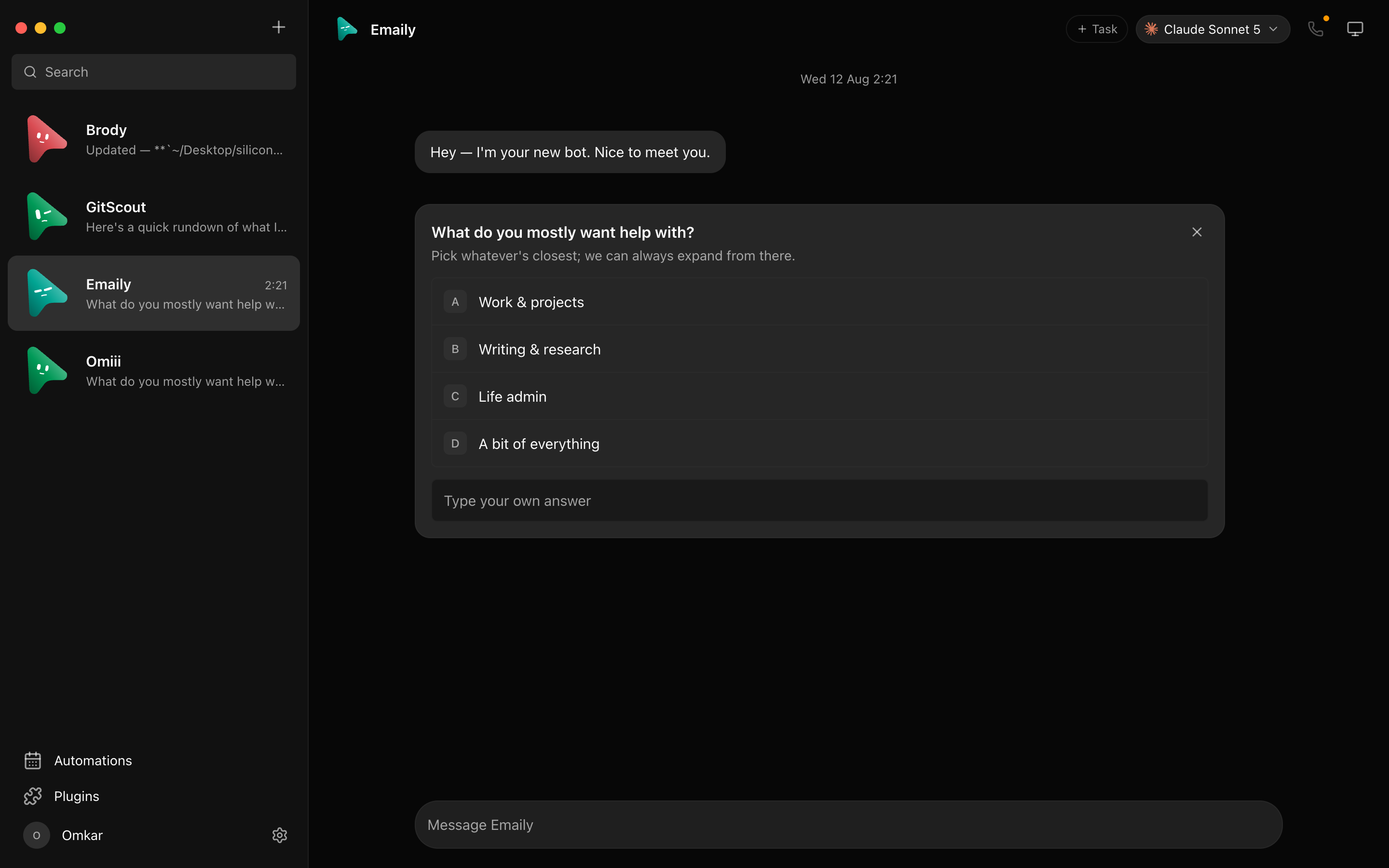
Connected Apps & External Tools
Beyond local files, agents can interact with your real tools (Slack, Linear, GitHub, Gmail) via managed Composio sessions without sharing unencrypted credentials with the models.
4. Total Cost of Ownership (TCO) Comparison
| Dimension | Devin / Cloud Agent SaaS | OpenMausBot (Local-First OSS) |
|---|---|---|
| Software License | $500 / month (Devin Enterprise) | $0 / month (MIT Open Source) |
| Model / Compute Billing | High proprietary cloud markup | Pure BYO CLI (existing Claude/Codex subs) |
| Team / Seat Costs | $40 – $200 / user / mo | $0 (Local installation) |
| Data Privacy & Storage | Transcripts stored on third-party cloud | 100% Local (~/.openmausbot) |
| Connected Tools (GitHub/Linear) | Proprietary closed toolkits | 500+ Composio Apps + Local CLIs |
| Annualized Cost | $4,800 – $12,000+ / yr | $0 / yr (+ your standard LLM subscriptions) |
5. The Bad — What to Know Before Adopting
While OpenMausBot offers immense agency and freedom from SaaS retainers, technical teams should evaluate these operational constraints:
- Local Machine RAM & Compute Overhead: Running a team of 4 to 6 simultaneous autonomous bots with local harnesses, Electron renderers, and background subprocesses is resource-intensive. A minimum of 16 GB RAM is required, with 32 GB+ recommended for running heavy local builds alongside agent sessions.
- API Rate Limiting on Concurrent Runs: Spawning multiple bots that query Claude 3.7 or Codex simultaneously will rapidly burn through individual account rate limits (Tier 1/2 TPM limits) during bursty multi-agent workflows.
- Host Control Security Discipline: Enabling host control grants agents access to your local shell. If you bypass permission cards or enable auto-approve rules, an unconstrained prompt injection could execute destructive filesystem operations. Always enforce the permission broker in production codebases.
6. Quickstart & Installation
OpenMausBot provides pre-compiled signed packages for macOS, Windows, and Ubuntu:
Step 1: Install the Desktop App
- macOS (Apple Silicon & Intel): Download the signed
.dmgfrom OpenMausBot Releases. - Windows: Download
OpenMausBot-setup.exe. - Ubuntu 24.04: Install the
.debpackage viasudo dpkg -i OpenMausBot-amd64.deb.
Step 2: Ensure CLI Engines are Configured
OpenMausBot automatically discovers installed developer tools:
# Verify your local CLI logins
claude --version
codex --version
In Settings → Engines, toggle your active providers, set your preferred default models, and start chatting with your bot roster.
7. Studio Reframe Evaluation
If your product team is evaluating multi-agent architectures, deciding between centralized cloud platforms (Devin/Grok Bot) and local-first open harnesses (OpenMausBot/Buzz), book an Emiote Stack Review ($199 USD). We audit agent boundaries, security sandboxing, and token cost economics to help you build resilient AI workflows.
Need help evaluating multi-agent desktop workbenches vs cloud agent platforms?
Reframe ($199) evaluates your AI engineering stack—OpenMausBot vs Devin vs centralized SaaS—auditing process isolation, host permission security, and token rate economics. Diagnosis only.
Fixed $199 fee · 100% vendor-neutral review · 3-day delivery guarantee